
Running Claude Code in YOLO Mode Without the Anxiety
DevContainers to the rescue

Last weekend, I was looking for a way to work a bit safer with AI. I tend to run Claude Code in dangerous mode to avoid having to babysit it for every single thing. But let’s be honest: this practice can end up in a big sad moment with LLM mistakes, prompt injections, or worse. I needed the speed of YOLO mode but with some actual protection.
That’s when I discovered something that changed my setup completely.
A quick history of my dev environments
When I started my career, I worked with VMs to create my workspace. Tools like Vagrant helped a lot in making sure everyone in the team had the same environment, but those were heavy in terms of resources. I remember working with VIM and i3, not only because it was cool and I loved it, but more importantly because it was lightweight enough to run comfortably inside a VM.
Then Docker came around and made Vagrant less useful to me. I started using Docker to run my applications and their dependencies. Docker Compose made everything easier and way more lightweight than a full VM.
But here’s the thing: even with Docker, your AI agent still runs on your machine. It still has access to everything. It can still harm your system. The real solution would be to run it in a fully isolated environment. Something like... a container.
Enter Dev Containers
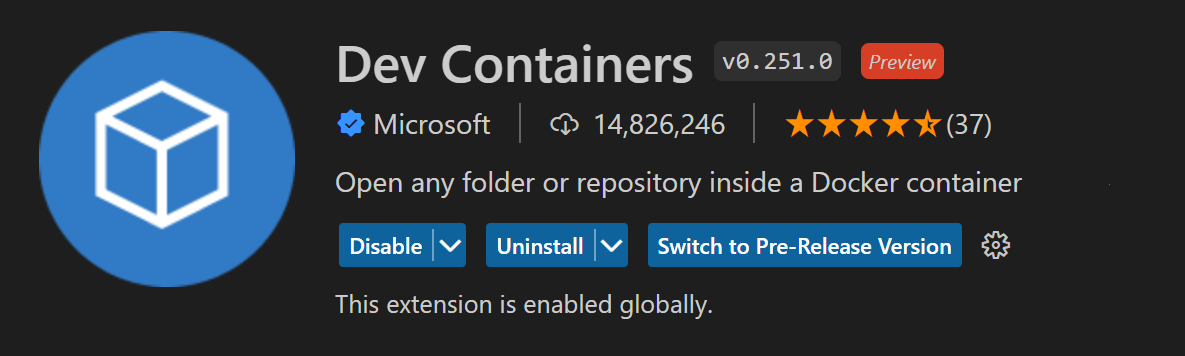
A Dev Container is your entire workspace running inside a container, and the best part is that it integrates directly with your IDE. The integration with Visual Studio Code is excellent, and Antigravity supports it too (though the experience is a bit less polished).
This means you can have your complete dev environment isolated in a container, protected from LLM misbehaviour. But it goes further. You can also control the network and only allow your workspace to hit the domains it actually needs. All of this is possible with Dev Containers.
Getting started
I am not going to reinvent the wheel here. Our good friends at Anthropic have already documented this better than I could. Head over to https://code.claude.com/docs/en/devcontainer to get started. You’ll find a step-by-step guide to set up a container with Claude Code ready to go in minutes.
The default setup gives you a Node.js-based environment. But what if that’s not your stack?
Make it your own
Adding your language stack
The image Anthropic provides is based on Node.js, and I work with Go. No problem. I just needed to add the Go feature to my container configuration:
"features": {
    "ghcr.io/devcontainers/features/go:1": {
        "version": "1.25"
    }
}
And boom, I got Golang with everything I needed. The Dev Container features system makes it simple to add languages, tools, and CLIs without messing with the Dockerfile directly.
Handling external dependencies
What about Postgres, Redis, Kafka? (I love those.) There are two approaches here.
The first option is Docker-in-Docker. It works, but performance can be an issue since you’re running containers inside a container.
The second option, and the one I chose, is Docker-outside-of-Docker. You share the host Docker socket so that your Dev Container can use your host’s Docker daemon to run the containers it needs. It works wonderfully. I can now do everything I would do on my host system, but from inside the container.
Here is how I set it up:
"features": {
    "ghcr.io/devcontainers/features/docker-outside-of-docker:1": {}
},
"mounts": [
    "source=/var/run/docker.sock,target=/var/run/docker.sock,type=bind"
]
Locking down the network
For the network limitation, the firewall-init.sh script from Anthropic’s documentation gives a good starting point. You define which domains your container is allowed to reach, and everything else gets blocked.
For the Antigravity agent to work, I had to add the Google domains:
"antigravity.com"
"googleapis.com"
I did the same for Docker registry domains, but I am still figuring out which ones really matter. I’ll update this once I have a cleaner list.
The trade-offs
Let’s be real. This setup is not without friction.
The initial configuration takes time. You need to think about what tools you need, what domains to whitelist, and how to handle your dependencies. It’s an investment.
Debugging can also feel a bit different when you’re working inside a container. Sometimes paths don’t match what you expect, or extensions behave slightly differently. Nothing major, but worth mentioning.
And while Docker-outside-of-Docker works great, you’re still sharing the Docker socket with your host. It’s not perfect isolation. For most use cases, it’s good enough, but keep it in mind.
Wrapping up
I now run Claude Code in YOLO mode without the constant anxiety. The container isolates my workspace, the network rules limit exposure, and I get the speed I wanted without the risk to my system.
Dev Containers are not the ultimate fix for prompt injections or LLM issues, but they are a solid layer of protection that costs very little once set up.
As an engineering manager, I see a lot of value in this approach for teams too. Everyone works in the same environment. Onboarding becomes simpler. And developers can experiment with AI agents without worrying about breaking their machine.
Give it a try. Your future self will thank you the first time an LLM tries something stupid and hits a wall instead of your system.
Thanks for sharing your experiences and tips :)